Fantasy Gems Password: 9 Easy Fixes to Reset or Change It (2026)
Home › Blog › Fantasy Gems Password
Fantasy Gems Password: 9 Easy Fixes to Reset or Change It (2026)
Forgot your Fantasy Gems password, getting a “wrong password” error, or stuck because the app now asks for a withdrawal password? This guide explains both passwords on your account, how to reset or change each one, what to do when the verification code does not arrive, and how to keep your balance safe from people who try to steal passwords.
Quick answer
To reset a forgotten Fantasy Gems password, open the login screen, tap Forgot Password, enter your registered +92 number, type the verification code sent by SMS, and set a new password. To change it while logged in, open Account (or Me), then Settings, then Login password. Your withdrawal password is separate and is set in the same settings area.
Fantasy Gems Password Types: Login vs Withdrawal
Most people think their account has one password. In fact, most versions of Fantasy Gems use two. Mixing them up is the most common reason for password errors, so it helps to know which one the app is asking for.
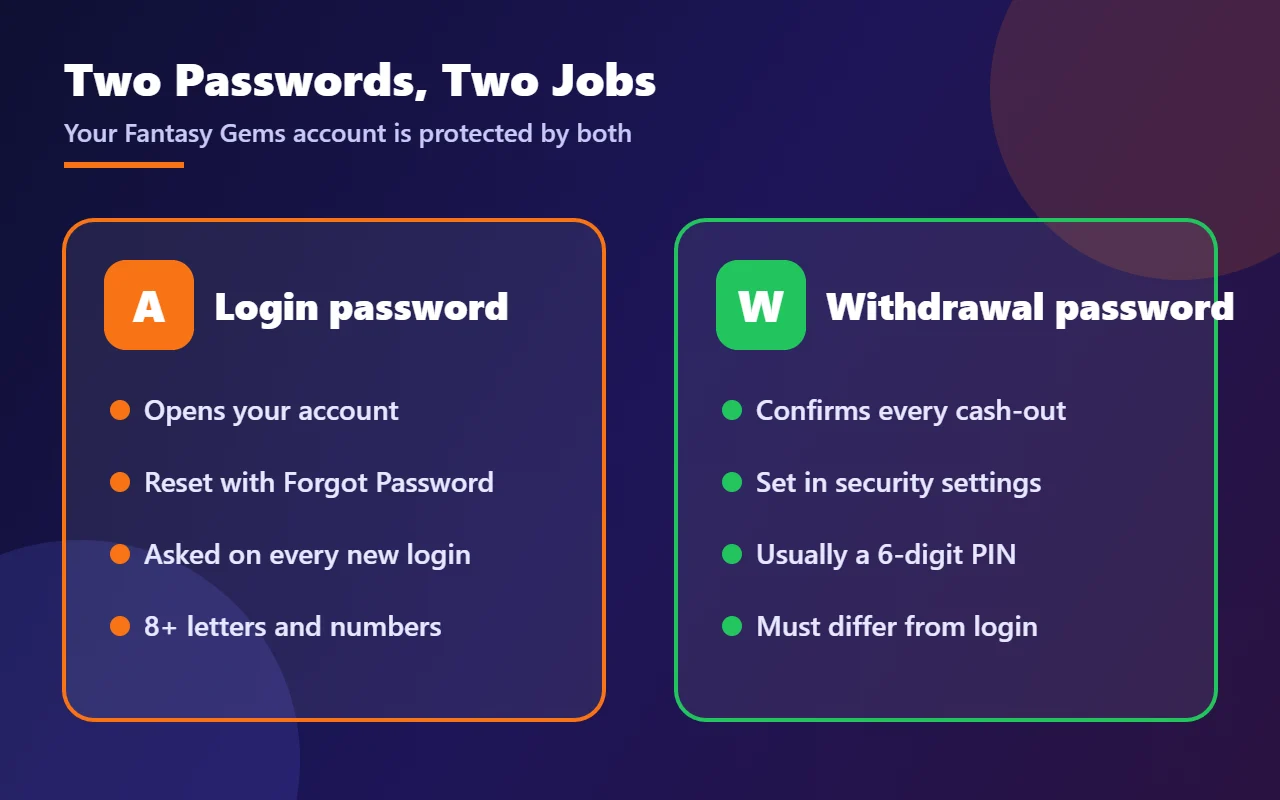
| Feature | Login password | Withdrawal password |
|---|---|---|
| What it does | Opens your account | Confirms each cash-out request |
| When you set it | During registration | Before your first withdrawal |
| Usual format | 8 or more letters and numbers | Often a 6-digit PIN |
| How to reset | Forgot Password on the login screen | Security or settings area, or support |
| Who should know it | Only you | Only you |
If you are trying to log in, you need the login password. If you are on the withdraw screen and the app asks for a password or PIN, it wants the withdrawal password. The Fantasy Gems password you chose at sign-up will not work there unless you set both to the same value, which is not recommended.
How to Reset a Forgotten Fantasy Gems Password
If you cannot remember your login password, you do not need a new account. The Fantasy Gems password reset uses the mobile number you registered with. Follow these steps:
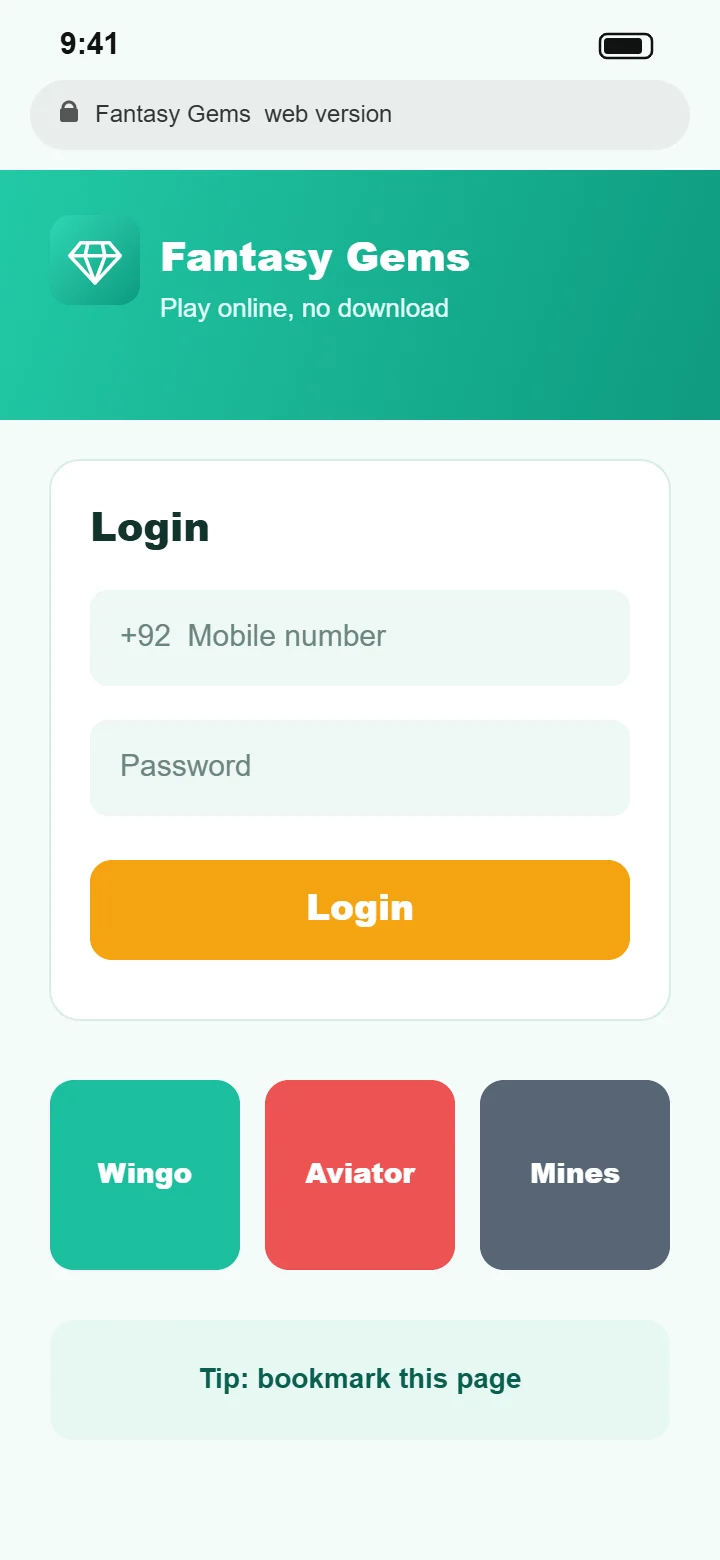
- Open the login screen. Use the app or the official website, then tap Forgot Password below the login button.
- Enter your registered number. Type the same mobile number you used at sign-up, starting with +92.
- Request the verification code. Tap Send and wait for the SMS. Codes usually arrive within a minute.
- Set a new password. Enter the code, then type a new Fantasy Gems password twice to confirm it.
- Log in again. Go back to the login screen and sign in with your new password.
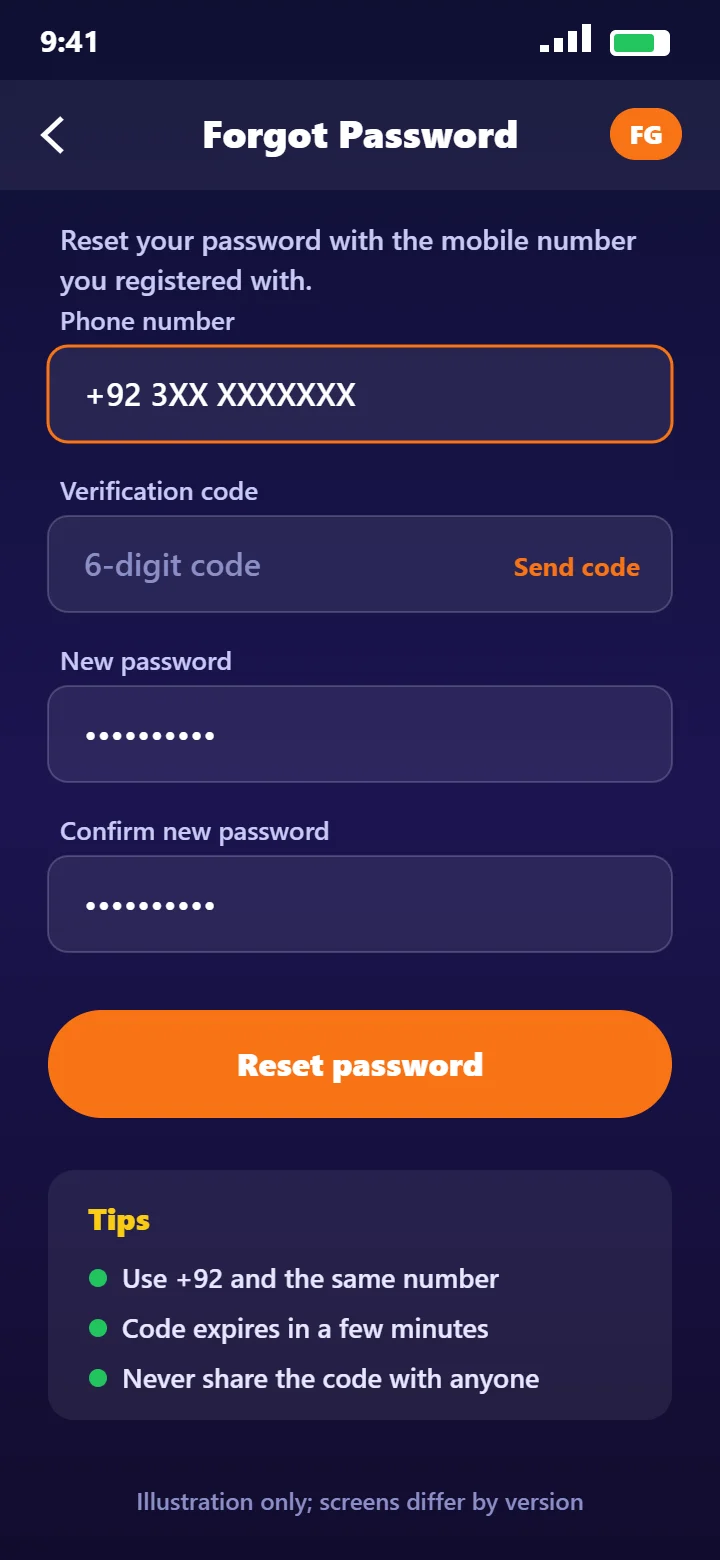
If the app says the account does not exist, check that you entered the exact number you registered with, including +92 and without the first zero. Our Fantasy Gems login guide covers other sign-in problems.
How to Change Your Fantasy Gems Password
Changing your Fantasy Gems password every few months, or straight away if you think someone saw it, is one of the easiest ways to protect your balance. You must be logged in to do this.
- Open your account page. Tap Account or Me at the bottom of the app.
- Go to settings. Open Settings or Security. Some versions show it as a gear icon.
- Choose Login password. Select the option to change your login password.
- Enter the current password. Type the Fantasy Gems password you use now.
- Enter and confirm the new password. Type the new one twice and tap Save or Confirm.
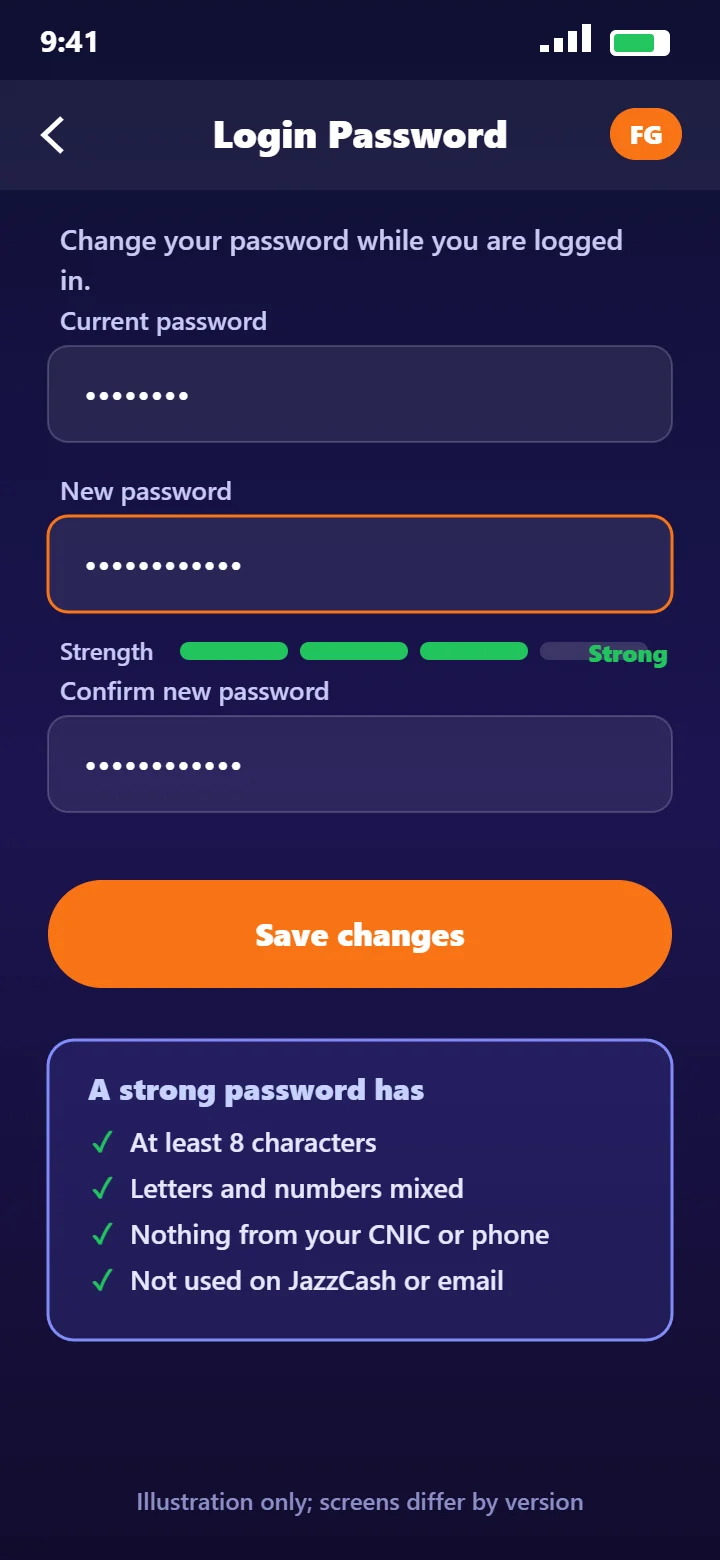
After saving, the app may log you out on other devices. Sign in again with the new password. If you cannot remember the current password, use the Forgot Password steps above instead.
How to Set the Fantasy Gems Withdrawal Password
Before your first cash-out, most versions ask you to create a withdrawal password, sometimes called a fund password or transaction PIN. It is an extra lock, so even if someone gets into your account, they cannot move your money without it.
- Open Account, then Settings. Look for Withdrawal password, Fund password or Security.
- Choose a new PIN. Many versions use a 6-digit PIN. Pick numbers that are not easy to guess.
- Confirm the PIN. Enter it again to confirm, and verify with an SMS code if asked.
- Bind your wallet. Add the JazzCash or Easypaisa account you will withdraw to, if you have not already.
- Test it on the withdraw screen. Start a withdrawal and enter the PIN when asked.
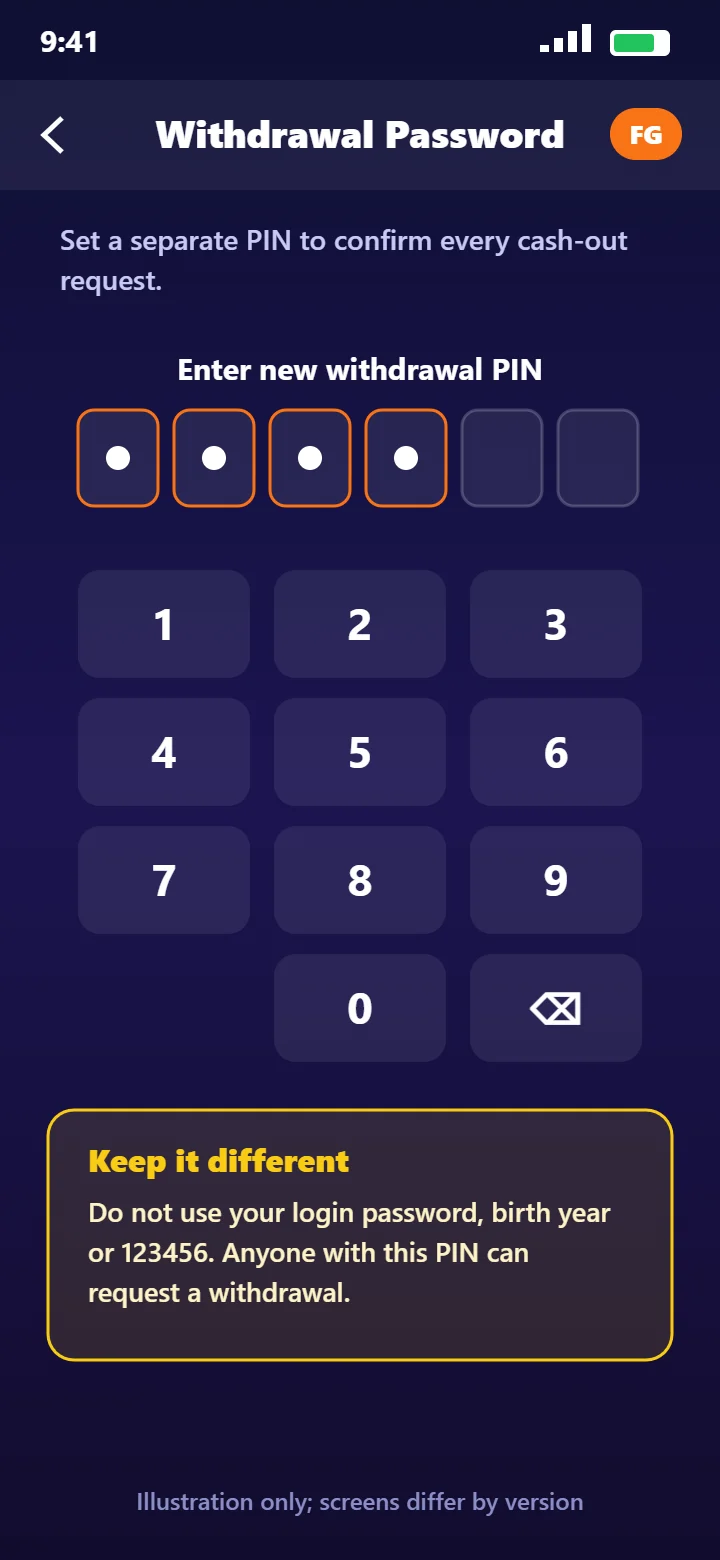
Full cash-out steps and limits are on our Fantasy Gems withdraw guide. Never use your birth year, 123456 or your phone number as a PIN.
Forgot Your Withdrawal Password?
Resetting the withdrawal PIN is a little different from resetting your login Fantasy Gems password, because it protects your money directly. Depending on your version, there are two routes:
| Route | How it works | When to use it |
|---|---|---|
| Self reset | Settings, Withdrawal password, Forgot, then an SMS code | When the option is shown in your app |
| Support reset | Contact in-app customer service and verify ownership | When there is no reset option or the code fails |
For a support reset, you may be asked for your user ID, registered number and a recent deposit record. That is normal. What is not normal is anyone asking for your login password, current PIN or the SMS code itself.
9 Easy Fixes for Fantasy Gems Password Problems
Most Fantasy Gems password problems have a simple cause. Work through these nine fixes in order before contacting support:
- Check which password is asked. Login screen means login password; withdraw screen means withdrawal PIN.
- Turn off Caps Lock and auto-correct. Phone keyboards sometimes capitalise the first letter or add a space.
- Check the number format. Use +92 followed by your number without the first zero.
- Use Forgot Password. If you are not sure of the old password, reset it instead of guessing.
- Wait before retrying. After several wrong attempts, some versions lock login for a short time.
- Check SMS and signal. Move to better signal and make sure your SIM can receive messages.
- Update the app. Install the latest version from our download page, because old versions can fail to connect.
- Clear cache or try the browser. Clear the app cache, or log in through the official website instead.
- Contact in-app support. If nothing works, use customer service inside the app with your user ID ready.
Verification Code Not Arriving? Try This
The SMS code is the key to every Fantasy Gems password reset. If it does not arrive, the problem is usually on the phone side rather than the account.
| Possible cause | What to do |
|---|---|
| Weak signal | Move to a place with full signal, or switch between Wi-Fi and mobile data |
| Too many requests | Wait 5 to 10 minutes before asking for a new code |
| Wrong number entered | Recheck the number and the +92 format |
| SMS inbox full | Delete old messages so new ones can arrive |
| Promotional SMS blocked | Check spam or blocked message folders on your phone |
| SIM not active | Make sure the SIM is in the phone and has not been suspended |
A real support agent will never ask you to read out or forward the verification code. Anyone who asks for it can take over your account.
Common Fantasy Gems Password Errors
Here is what the most common messages usually mean, and how to fix each one. The exact wording can differ slightly between app versions.
| Message | What it means | Fix |
|---|---|---|
| Wrong password | The login password does not match | Retype carefully or use Forgot Password |
| Account does not exist | The number is not registered | Check the number you signed up with |
| Too many attempts | Login is locked for a short time | Wait, then reset the password |
| Invalid password format | The new password breaks a rule | Use 8 or more letters and numbers |
| New password same as old | You reused the current password | Choose a different password |
| Wrong withdrawal password | The PIN does not match | Reset the PIN in settings or via support |
How to Create a Strong Fantasy Gems Password
A strong Fantasy Gems password protects real money, so treat it like a banking password. Follow these simple rules:
- Use at least 8 characters, mixing letters and numbers.
- Add a symbol such as # or @ if the app allows it.
- Do not use your name, CNIC digits, birth date or phone number.
- Do not reuse your JazzCash, Easypaisa, email or Facebook password.
- Do not save it in a shared notes app or send it on WhatsApp.
- Use a different value for your withdrawal PIN.
| Weak pattern | Why it is weak | Better approach |
|---|---|---|
| 123456 or 11111111 | Tried first by attackers | Random mix of letters and numbers |
| Your name plus 123 | Easy for friends to guess | Two unrelated words plus digits |
| Your phone number | Visible to anyone you message | Something not linked to you |
| Same as JazzCash PIN | One leak opens both accounts | Unique password for each app |
Account Hacked or Password Changed by Someone Else
If your Fantasy Gems password suddenly stops working and you did not change it, act quickly. Someone may have logged in using a leaked password or a code you shared.
- Reset the login password. Use Forgot Password right away to take the account back.
- Change the withdrawal PIN. Set a new PIN so no cash-out can be confirmed without you.
- Check the bound wallet. Make sure the JazzCash or Easypaisa account linked for withdrawals is still yours.
- Review recent activity. Look at bet and withdrawal history for anything you did not do.
- Report to support. Send your user ID and the time you noticed the problem to in-app customer service.
Also change the same password anywhere else you used it, especially on mobile wallets and email. It is also worth checking that no unknown SIM is registered on your CNIC, because a SIM issued in your name can receive your reset codes. The Pakistan Telecommunication Authority lets you check this by sending your CNIC number to 668.
Lost SIM or Changed Number
Because the Fantasy Gems password reset depends on SMS, losing your SIM can lock you out. The best fix is to get the same number back. In Pakistan, you can usually reissue a lost SIM at a Jazz, Zong, Telenor or Ufone franchise with your CNIC and biometric verification.
If you can no longer use the old number, contact in-app support while you are still logged in, or with your user ID if you are not. Ask how to update the registered number. Expect to prove ownership with deposit records. Without access to the original number, recovery can be slow or impossible, which is why keeping your SIM active matters.
What Happens After You Reset Your Password
After a successful Fantasy Gems password reset, your balance, bet history, bound wallet and referral link stay exactly the same. Only the way you sign in changes. You may be logged out on other phones or browsers, which is useful if someone else had access.
Write the new password somewhere private and offline if you tend to forget it, and do not share it with friends who “help” with deposits or withdrawals. If your withdrawal PIN was never set, now is a good time to set it so your account has both locks in place.
Getting Password Help From Fantasy Gems Support
If self-reset does not work, use the customer service option inside the app. It is usually shown as a headset or chat icon on the account page or the login screen. Support is the only safe route for problems such as a lost number or a locked withdrawal PIN.
| Share with support | Never share with anyone |
|---|---|
| Your user ID or UID | Your login password |
| Your registered mobile number | Your withdrawal PIN |
| Screenshot of the error message | The SMS verification code |
| A recent deposit or withdrawal record | Your JazzCash or Easypaisa MPIN |
Only contact support through the app or the official site. Phone numbers posted in comments, YouTube descriptions or random groups are often fake. Our official website guide explains how to make sure you are on the real site.
Fantasy Gems Password Scams to Avoid
Scammers know that a Fantasy Gems password and withdrawal PIN are all they need to empty a balance. These are the tricks they use most often:
- Fake “customer care” numbers that ask for your password or code to “fix” an account.
- Paid “password recovery” or “account unlock” services in WhatsApp groups.
- Look-alike login pages sent as links that copy what you type.
- Messages offering a bonus if you share your login details.
- People who offer to manage your account and withdraw for you.
No real gift code, bonus or event asks for your password. Read our WhatsApp group guide to spot fake groups, and the Fantasy Gems earning app guide to see why “earning plans” are a common trap.
Fantasy Game Password and Fantasy Gems Password: Same Thing?
Yes. Many people in Pakistan call the app Fantasy Game, and search for “fantasy game password” when they are locked out. It is the same platform, so the same steps apply. The same is true if you know it as Fantastic Game. If you do not have an account yet, start with the register guide and set a strong Fantasy Gems password from day one.
Quick Summary
| Task | Where to do it |
|---|---|
| Reset a forgotten login password | Login screen, Forgot Password, SMS code |
| Change the login password | Account, Settings, Login password |
| Set the withdrawal PIN | Account, Settings, Withdrawal password |
| Reset the withdrawal PIN | Settings reset option or in-app support |
| Code not arriving | Check signal, number format and wait |
| Account taken over | Reset both passwords and contact support |
Fantasy Gems Password FAQs
How do I reset my Fantasy Gems password?
Open the login screen, tap Forgot Password, enter your registered +92 number, enter the SMS verification code and set a new password.
How do I change my Fantasy Gems password while logged in?
Open Account or Me, go to Settings, choose Login password, enter your current password and then the new one twice.
What is the Fantasy Gems withdrawal password?
It is a separate PIN, often 6 digits, that confirms every cash-out request. It is set in the settings or security area before your first withdrawal.
I forgot my withdrawal password. What should I do?
Use the reset option in settings if your version shows one. If not, contact in-app customer service with your user ID and registered number.
Why is my Fantasy Gems password not working?
The most common causes are typing errors, Caps Lock, using the withdrawal PIN instead of the login password, or entering a different number. Reset it if you are unsure.
Why am I not getting the verification code?
Check your signal, the +92 number format and your SMS inbox, then wait a few minutes before requesting another code.
Can I recover my account without my old SIM?
It is difficult. Try to reissue the same SIM with your CNIC first, then contact in-app support to ask about updating the registered number.
Will Fantasy Gems support ask for my password?
No. Real support never needs your password, withdrawal PIN or SMS code. Anyone asking for them is trying to steal your account.