Fantasy Gems Official Website: Play Online Safely (2026 Guide)
Home › Blog › Fantasy Gems Official Website
Fantasy Gems Official Website: Play Online Safely (2026 Guide)
Typed “Fantasy Gems official website” and found ten sites that all say they are official? That confusion is exactly how many players lose their passwords. This guide explains what the Fantasy Gems official website really is, how to tell the real web version from copies, how to play Fantasy Game online on any phone or computer, and what to do when the address changes.
Quick answer
There is no single, verified Fantasy Gems official website. The platform runs a web version, but dozens of look-alike sites also call themselves official. Open the site only from a link you trust, check the address before typing your password, and bookmark it. You log in online with the same +92 number and password as the app.
Is There a Fantasy Gems Official Website?
Yes and no. Fantasy Gems does run a web version where you can register, log in, deposit and play, the same as in the Android app. In that sense, the Fantasy Gems official website exists. But no verified company stands behind it, no licence lists an approved address, and the web address can change over time.
At the same time, many other websites use names such as “official,” “real” or “original” in their titles. Some are promoters, some are guides, and some are fake copies built to steal logins. So when you search for the Fantasy Gems official website, you need to check, not trust, what you find.
The good news is that checking is not difficult. A few habits, explained below, are enough to separate the real web version from copies in seconds. Once you have found the correct address, save it and stop searching for it again. Most people who lose their accounts do so because they search for the site every time and click whichever result looks right that day.
Who Runs the Fantasy Gems Official Website?
This is the question most guides skip. The honest answer is that no verified company, address or licence is publicly linked to the Fantasy Gems official website. You can reach in-app support, and the app shows its own rules and terms, but there is no regulator or registered business you can check from Pakistan.
That matters for one simple reason: if a withdrawal is refused or an account is blocked, there is nobody official to complain to. Keep this in mind before you deposit, and read the evidence in our real or fake review.
Why There Are So Many Fantasy Gems Websites
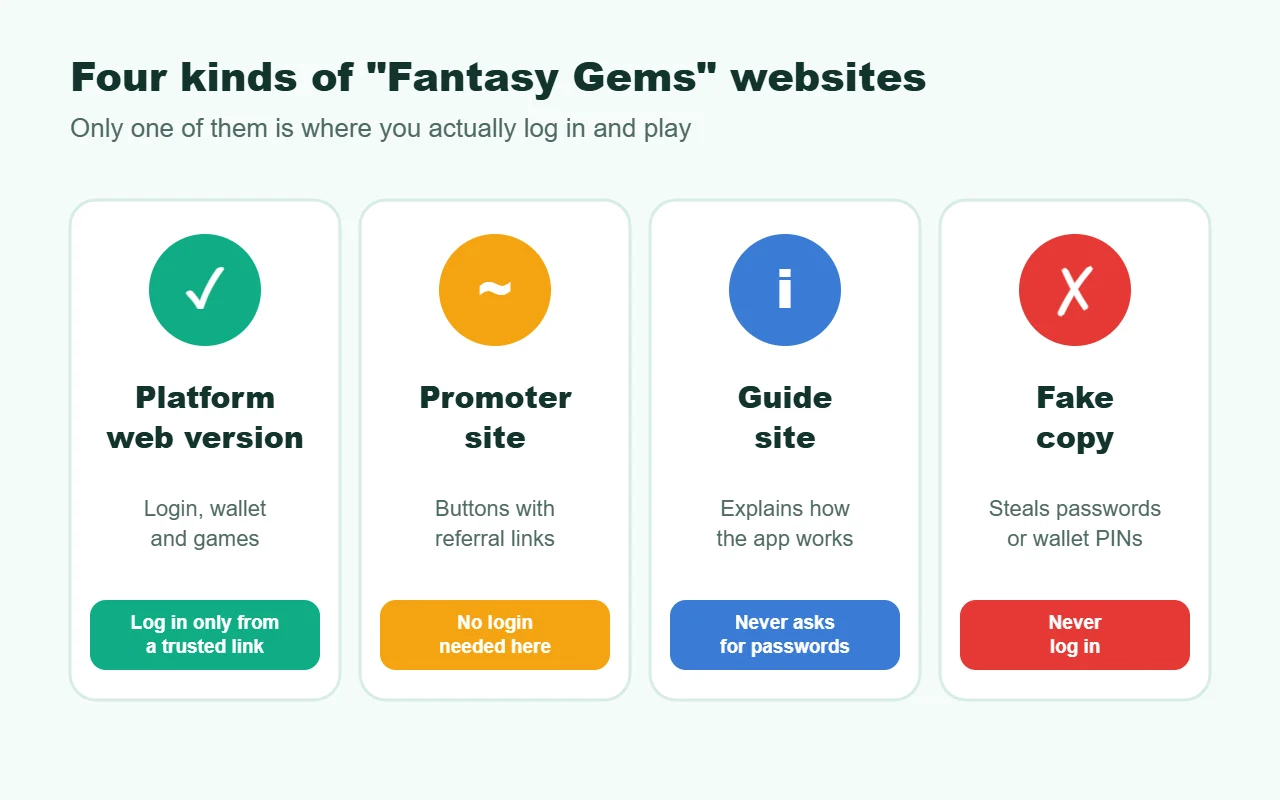
Most search results fall into one of four types. Knowing which is which keeps you safe:
| Type of site | What it does | Safe to log in? |
|---|---|---|
| Platform web version | The actual game site with login, wallet and games | Only if you opened it from a trusted link |
| Promoter site | A page with download and register buttons that use a referral link | No login needed; buttons send you onward |
| Guide site | Explains how the app works, like this website | No login here; we never ask for passwords |
| Fake copy | Looks like the game site but steals passwords or payments | Never |
Promoters earn a commission when you register through their invitation link, which is why so many of them claim to be the Fantasy Gems official website. Being “official” in a page title proves nothing.
How to Check If a Fantasy Gems Website Is Real
Use this checklist every time you open what looks like the Fantasy Gems official website, especially from a new link:
- You chose the link yourself. It came from your own bookmark, the installed app or a source you trust, not an ad or a stranger.
- The address looks normal. No extra letters, swapped words, numbers in place of letters or strange endings.
- Login asks only for your number and password. A real login never asks for a JazzCash or Easypaisa PIN.
- No payment before login. Any page that wants money to “verify” your account is fake.
- The site matches the app. Your balance and history should be the same as in the app after you log in.
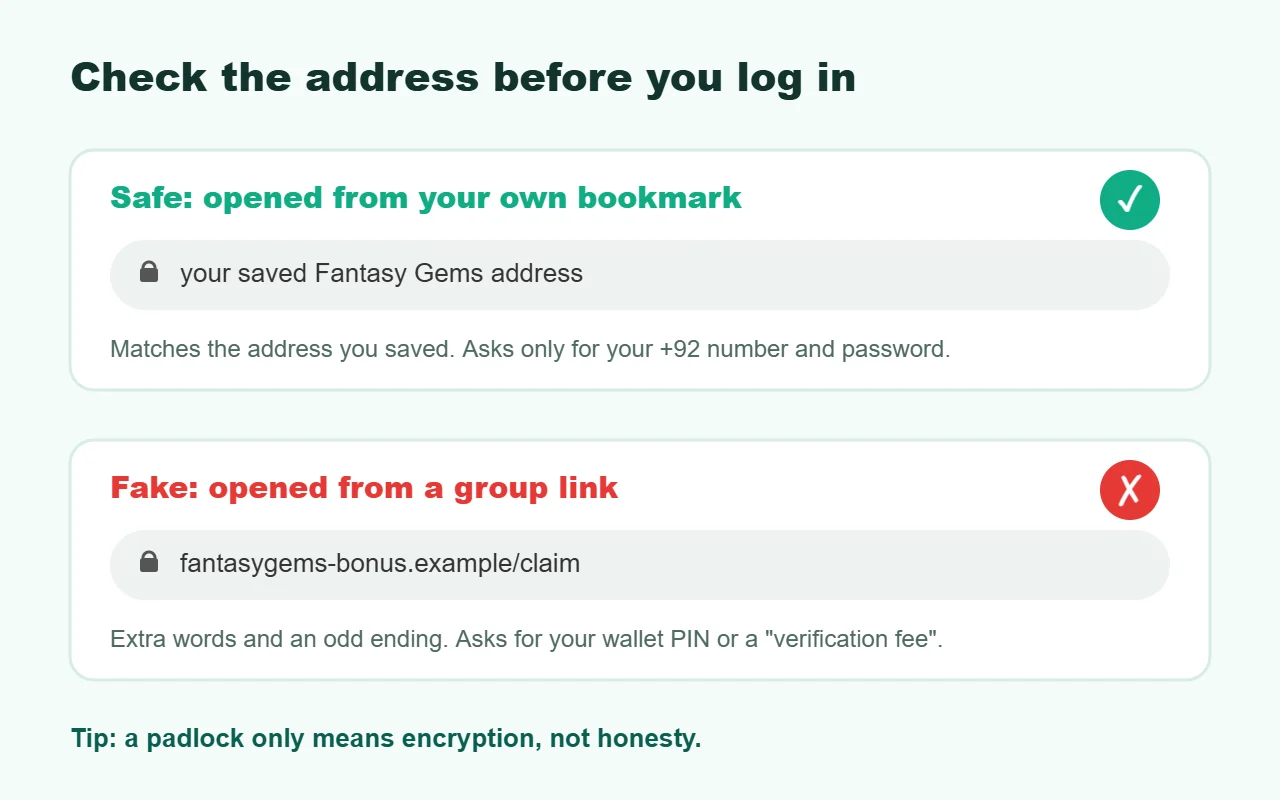
The lock icon in the address bar only means the connection is encrypted. Fake sites can have a padlock too. Always check the address itself.
Fantasy Gems Official Website Login: Step by Step
Logging in on the Fantasy Gems official website takes less than a minute once you have the right address:
- Open the site from your bookmark or a link you trust.
- Check the address bar before you type anything.
- Tap Login at the top of the page.
- Enter your mobile number with +92 and your password.
- Tap Login. If you see an OTP screen, enter the code sent to your phone.
- After login, confirm that your balance and history match what you see in the app.
If anything looks different from what you expect, log out and open the Fantasy Gems official website again from a trusted source. Never continue on a page that asks for a wallet PIN.
How to Play Fantasy Gems Online (Web Version)
Playing Fantasy Gems online needs no download. The web version works on Android phones, iPhones, laptops and desktop computers:
- Open Chrome, Safari, Edge or Firefox.
- Open the Fantasy Gems website from a link you trust or your saved bookmark.
- Tap Login, or Register if you are new.
- Enter your mobile number with +92 and your password.
- Open the lobby and choose a game, or open Wallet to deposit.
- Bookmark the page, or add it to your Home Screen, so you never need to search for it again.
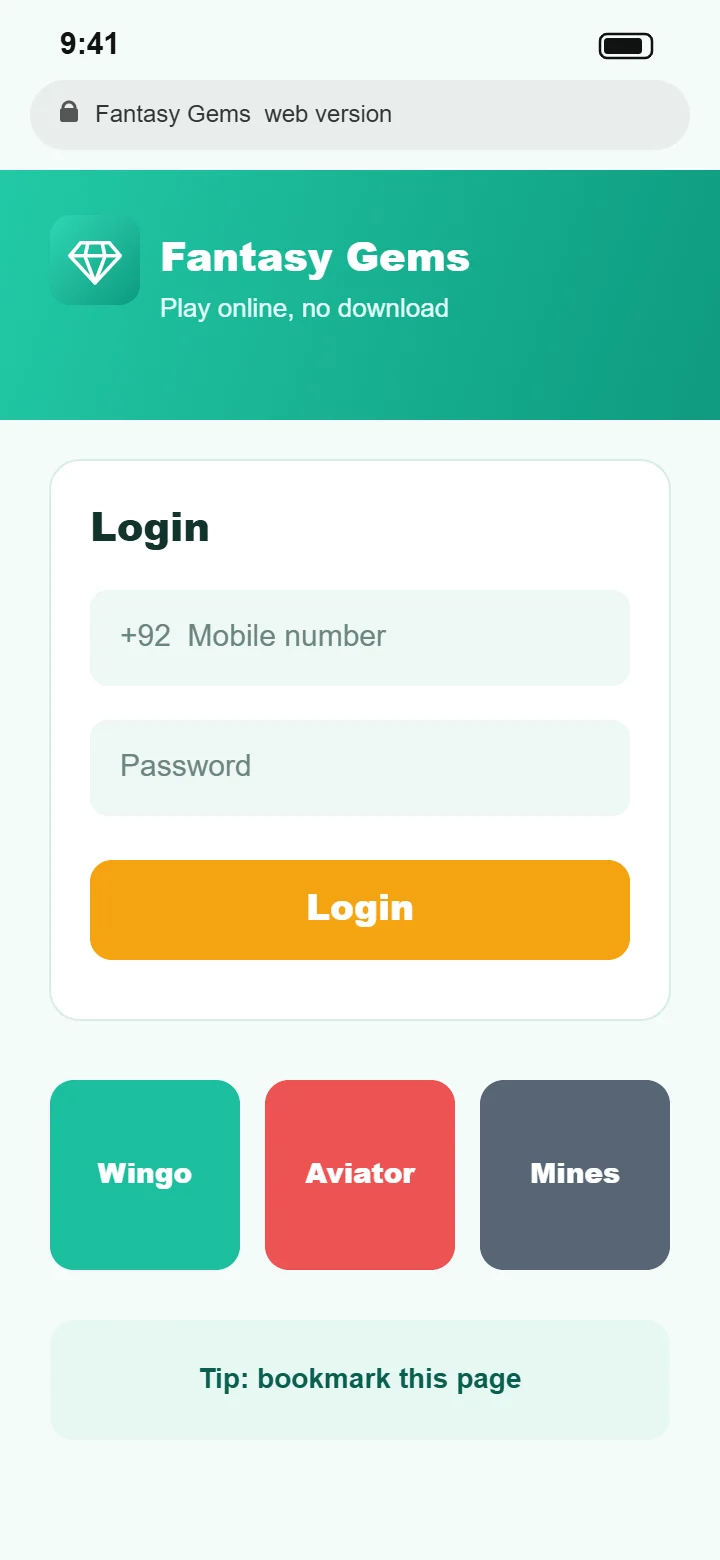
New here? Read the register guide first. If login fails, the login guide lists every common error and fix.
Fantasy Game Online on Every Device
| Device | Best way to play online | Full guide |
|---|---|---|
| Android phone | Web version in Chrome, or the APK app | APK download |
| iPhone or iPad | Web version in Safari, saved to the Home Screen | Fantasy Gems iOS |
| Windows laptop or PC | Web version in Chrome or Edge, installed as a site app | Fantasy Gems for PC |
| Mac | Web version in Safari or Chrome | Mac section |
Your account, wallet and history are the same on every device, because the web version and the app share one server.
What You Can Do on the Fantasy Gems Official Website
The web version includes almost everything in the Android app:
- Register a new account or log in with your +92 number.
- Play Wingo, Aviator, Mines, card games and more, explained in our Fantasy Gems games guide.
- Deposit and withdraw through the wallet.
- Redeem a gift code in the Gift section.
- Check your VIP level, invite link and game history.
- Contact in-app support about a deposit or withdrawal.
Because everything runs in the browser, the Fantasy Gems official website is also the easiest option for iPhone and PC users who cannot install the APK.
Fantasy Gems Website vs App: Which Is Better?
| Feature | Website (online) | Android app (APK) |
|---|---|---|
| Install needed | No | Yes, APK file |
| Storage | None | Around 50–100 MB |
| Updates | Automatic | Install each new APK |
| Fake file risk | None, but watch for fake sites | Fake APKs are common |
| Works on iPhone and PC | Yes | No |
| Notifications | Limited | Yes |
For most players, the Fantasy Gems website is the simpler and safer choice, as long as you open the real address. The app is handy if you play often on Android and want notifications.
Fantasy Gems Official Website vs Promoter Sites
Promoter sites are not always harmful, but they are not the Fantasy Gems official website either. Here is how to tell them apart:
| Sign | Platform web version | Promoter site |
|---|---|---|
| Login form | Yes, with wallet and games after login | Usually no; only buttons |
| Games lobby | Yes | No, just screenshots |
| Main goal | Let you play | Get you to register through a referral link |
| Words like “official” | Rarely in big letters | Often in every heading |
If a page has no games and only buttons saying “Download” or “Register,” you are on a promoter site. That is not dangerous by itself, but it is not the Fantasy Gems official website, and any login form on such a page should make you suspicious.
How to Save the Fantasy Gems Official Website to Your Phone
Saving the real address once is the best protection against fake links. On Android in Chrome:
- Open the Fantasy Gems official website in Chrome.
- Tap the ⋮ menu at the top right.
- Tap Add to Home screen (or Install app if it appears).
- Confirm the name and tap Add.
On iPhone, open the site in Safari, tap ••• → Share → Add to Home Screen. After that, always open Fantasy Gems from this icon instead of from new links.
What to Do When the Website Address Changes
Betting platforms sometimes move to new web addresses, and the Fantasy Gems official website is no exception. When that happens, scammers rush to share “new official links.” Stay safe with these steps:
- Open the installed app first. It usually keeps working or shows the new address itself.
- Look for the update in the app’s own announcements, not in random groups.
- Compare the new address carefully with the old one before logging in.
- Update your bookmark and your Home Screen shortcut once you are sure.
- Ignore SMS or WhatsApp messages that say “new link, log in now to keep your balance.”
A new web address does not create a new account. Your +92 number, password and balance stay the same, so you never need to register again or pay anything to “move” your balance.
Fake Fantasy Gems Websites: Common Tricks
- A copy of the login page that sends your password to scammers.
- A “bonus claim” page that asks for your wallet PIN or OTP.
- A “customer service” site that asks you to pay a fee to unlock withdrawals.
- A page that installs an APK automatically as soon as it opens.
- Ads that use the words “official,” “100% real” or “guaranteed earning.”
- Links posted in “earning” groups; see our WhatsApp group link guide.
If you entered your details on a fake page, change your password from the real app at once, call the helpline listed in your JazzCash or Easypaisa app if you shared a PIN, and report it to the National Cyber Crime Investigation Agency (NCCIA).
Playing Online on Mobile Data or Slow Internet
The web version loads more data than the app each time, so a weak connection can cause problems. A few tips help:
- Use Wi-Fi when you can, especially for deposits and withdrawals.
- Close other tabs and apps that use data in the background.
- Avoid fast games such as Aviator on a weak signal, because a delay can make you miss a cash-out.
- If a page freezes during a payment, do not pay again. Check your wallet history first.
Fantasy Gems Official Website Problems and Fixes
| Problem | Likely cause | Solution |
|---|---|---|
| Site will not open | Address changed or blocked network | Check the app for the new address, switch between Wi-Fi and mobile data |
| Login loops back to the start | Old cookies or cache | Clear site data in your browser and log in again |
| Buttons do not work | Ad blocker or old browser | Turn off blockers for the site and update your browser |
| Balance looks different from the app | You may be on a copy site | Log out, open the site from a trusted link and change your password |
| Page asks for a PIN | Fake page | Close it immediately; never enter your PIN |
Is This Site the Fantasy Gems Official Website?
No. This website is an independent guide about Fantasy Gems. We do not own the platform, we do not handle deposits or withdrawals, and we never ask for your password or OTP. Our buttons take you to the Fantasy Gems web version, and our guides explain how each part of the platform works, including the risks.
If anyone contacts you claiming to be from this website and asks for money, a password or an OTP, it is a scam. We will never message you on WhatsApp, Telegram or SMS.
Before You Play Online for Real Money
Fantasy Gems has no verified licence, and online betting is not permitted in Pakistan (see the legal status). Read our real or fake review before you deposit.
Quick Summary
| Question | Short answer |
|---|---|
| Is there a Fantasy Gems official website? | There is a web version, but no verified, licensed official address |
| Can I play online without the app? | Yes, on any phone or computer browser |
| How do I avoid fake sites? | Use trusted links, check the address, bookmark it |
| Does my account change if the address changes? | No, your login and balance stay the same |
| Is it safe for real money? | Not proven safe; only risk what you can afford to lose |
Fantasy Gems Official Website FAQs
What is the Fantasy Gems official website?
Fantasy Gems runs a web version for login and play, but there is no verified, licensed official address, and many look-alike sites exist. Open it only from a trusted link.
Can I play Fantasy Gems online without the app?
Yes. The web version works in Chrome, Safari or Edge on phones and computers, with the same +92 login.
Is this the official Fantasy Gems website?
No. This is an independent guide. We do not run the platform, process payments or ask for passwords.
How do I find the real Fantasy Gems website?
Open it from the installed app, your own bookmark or a source you trust. Check the address carefully and never use links from ads or strangers.
What if the Fantasy Gems website stops working?
The address may have changed. Check the installed app and its announcements for the new address, then update your bookmark. Ignore “new link” messages in groups.
Is Fantasy Game online the same as the app?
Yes. The web version and the Android app use the same account, wallet and games.
Can I play Fantasy Gems online on iPhone?
Yes. Open the website in Safari and add it to your Home Screen. There is no App Store app.
Is the Fantasy Gems website safe?
The real web version avoids fake APK files, but fake copies exist, and the platform itself has no verified licence. Always check the address and play only with money you can afford to lose.