Fantastic Game: Easy APK Download & Login Guide (2026)
Fantastic Game: Easy APK Download & Login Guide (2026)
Searched for “Fantastic Game” and landed on Fantasy Gems pages? You are in the right place. Fantastic Game is the name thousands of players in Pakistan type when they mean Fantasy Game, also known as Fantasy Gems. This guide clears up the name, then shows how the Fantastic Game APK download, login, deposit and withdrawal work, and which fake copies to avoid.
Quick answer
Fantastic Game is the same app as Fantasy Game (Fantasy Gems). The name is a common misspelling. It is not on the Play Store, so Android users install the APK, while iPhone and PC users play the web version. You log in with a +92 mobile number and password, and the same risks apply: no verified licence and real-money betting.
What Is Fantastic Game?
Fantastic Game is not a separate app. It is the name many people use when they search for Fantasy Gems, the colour prediction and casino-style platform also called Fantasy Game. Because the two words sound and look alike, “Fantastic Game” has become one of the most searched names for the app in Pakistan. Here are the key facts:
| Detail | Information |
|---|---|
| Name people search | Fantastic Game |
| Real app name | Fantasy Gems (also called Fantasy Game) |
| Type | Colour prediction, lottery and casino-style games |
| Android | APK file, not on Google Play |
| iPhone and PC | Web version in a browser |
| Login | +92 mobile number and password |
| Payments | JazzCash, Easypaisa, bank transfer, USDT |
| Licence | No verified licence |
Why People Call It Fantastic Game
There are a few simple reasons why “Fantastic Game” is now searched more often than many correct spellings:
- Autocorrect: phone keyboards often change “fantasy” to “fantastic” while you type.
- Voice search: both words start the same way, so voice typing mixes them up.
- Word of mouth: friends and group members pass the name on as they heard it.
- Promotional videos: some TikTok and YouTube titles use “Fantastic Game” on purpose to catch more searches.
Search engines understand the mix-up, which is why Fantastic Game searches show Fantasy Gems websites. Whatever spelling you used, the app, the login and the rules are the same.
Fantastic Game vs Fantasy Game vs Fantasy Gems: Same App?
Yes, these names all point to one platform. The table shows the names you may see and what each one means:
| Name you see | What it is |
|---|---|
| Fantastic Game | A common misspelling or nickname for Fantasy Game |
| Fantasy Game | The older and most common name of the app |
| Fantasy Gems | The name shown inside the app and on most guides |
| Fantastic Game APK | The same Android APK file of Fantasy Gems |
| Fantastic Game login | The same +92 number and password login |
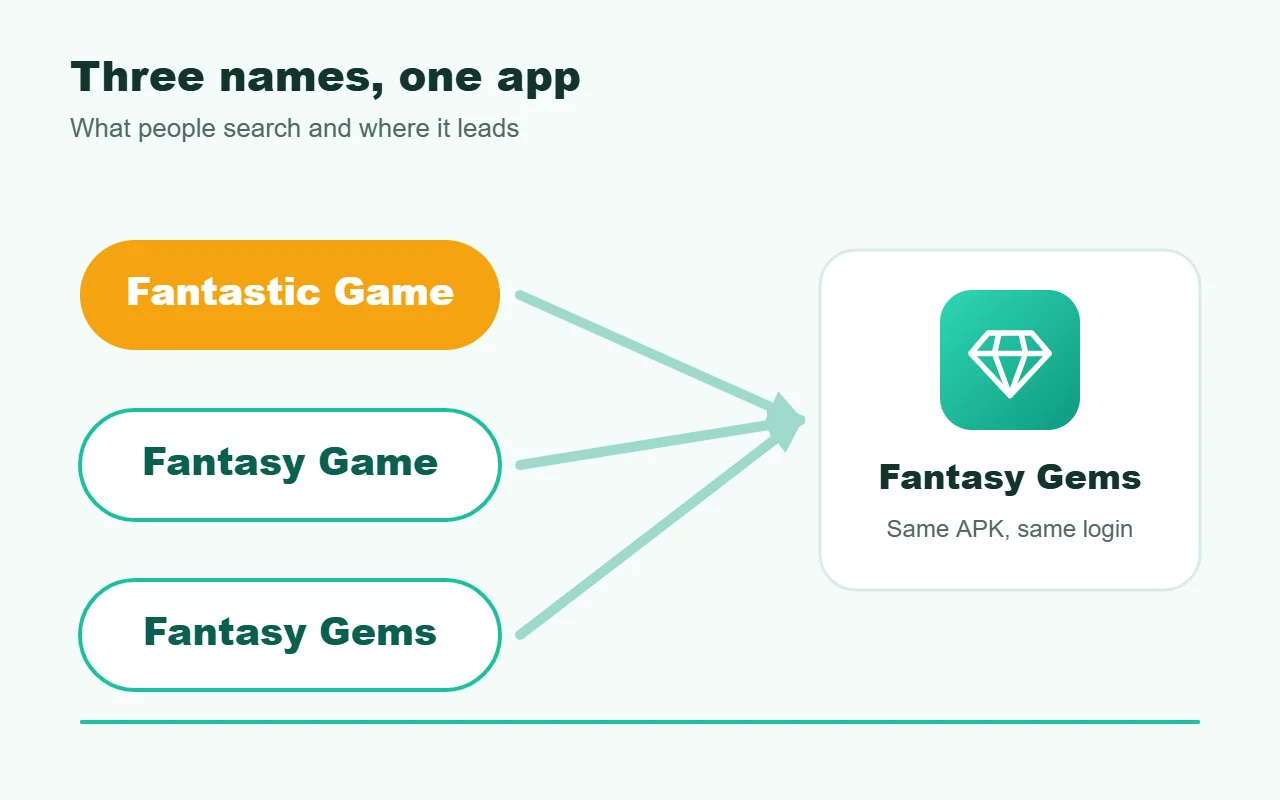
If an app called Fantastic Game asks for a different login, has a different logo, or sits on the Play Store, it is not Fantasy Gems. See the fake apps section below.
Why This App Spread So Fast in Pakistan
Understanding why the app is everywhere helps you judge the claims you see about it. A few things drove its growth:
- Local payments: JazzCash and Easypaisa deposits make it easy to start with small amounts.
- Fast games: Wingo rounds and crash games finish in seconds or minutes.
- Referral commissions: users earn when people they invite deposit, so many share links in WhatsApp, Telegram and Facebook groups.
- Short videos: win screenshots and “earning” clips spread quickly, even though many are edited.
The referral model is the main reason you see so many groups and videos. The people promoting it often earn from your deposits, not from playing well, so treat every “earning proof” with caution.
Quick Checklist Before You Install
- Your phone runs Android 5.0 or higher and has at least 100 MB of free space.
- You know where the APK file came from and have scanned it.
- The app does not ask for SMS, contacts or call log access.
- You have a SIM registered in your own name for the +92 login.
- You have read the deposit and withdrawal rules.
- You have decided on a spending limit you will not cross.
If you cannot tick every item, wait. Installing in a hurry is exactly how most people end up with a fake or modified app.
Fantastic Game APK Download for Android
The app is not listed on Google Play, because Google does not allow real-money betting apps in Pakistan. Android users install it as an APK file instead. The steps are short:
- Open Settings on your phone and find Install unknown apps (under Apps or Security).
- Allow your browser, for example Chrome, to install unknown apps.
- Download the Fantasy Gems APK from a source you trust. Our Fantasy Gems download guide explains how to get the latest file.
- Scan the file with Play Protect before opening it.
- Open the file from your Downloads folder and tap Install.
- Turn the Install unknown apps permission off again once the app is installed.
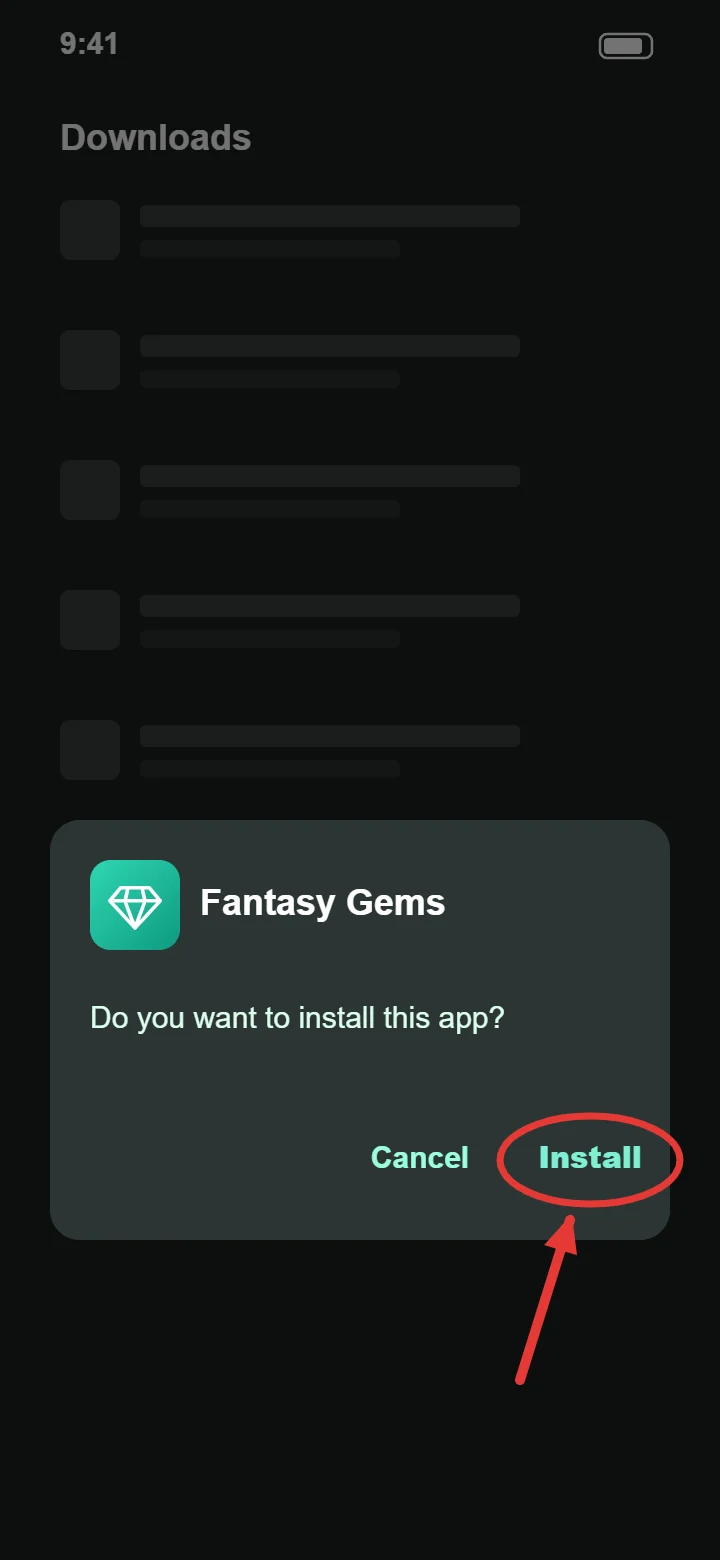
A real APK is usually tens of megabytes. A file of a few KB, or one named “MOD,” “VIP” or “unlimited,” is fake or modified. Delete it.
Fantastic Game Login: Step by Step
Logging in works the same whichever name you searched. Use the mobile number you registered with:
- Open the installed app, or the web version in your browser.
- Tap Login.
- Enter your mobile number with +92.
- Enter your password and tap Login.
- If you forgot your password, use the reset option on the login screen and the OTP sent to your phone.
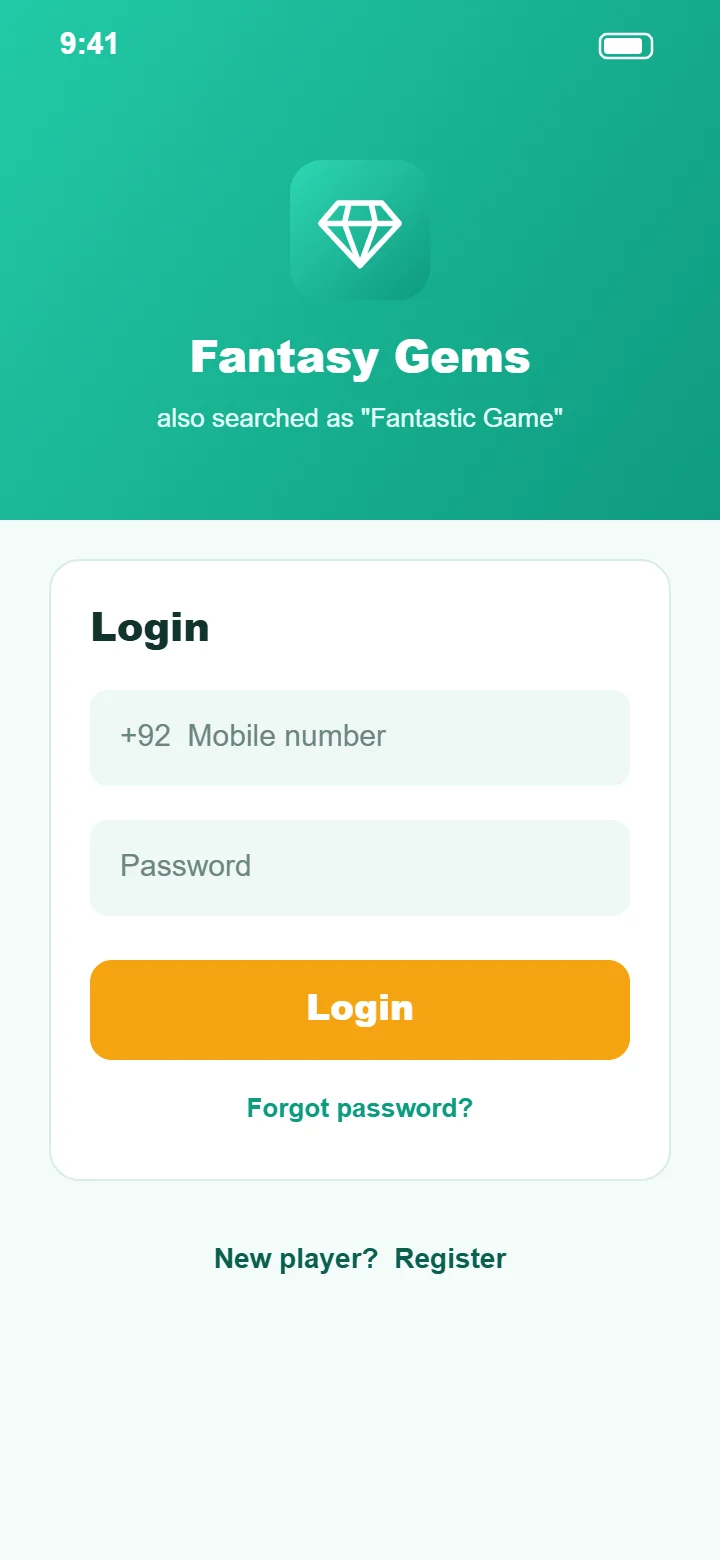
Never share your OTP with anyone who contacts you, even if they claim to be support. For error fixes, such as “account locked” or “wrong password,” follow the Fantasy Gems login guide.
How to Update to the Latest Version
Because the app is outside Google Play, updates do not arrive automatically. Here is how to stay on the latest version safely:
- Open the app. Many versions show an update prompt by themselves.
- If there is no prompt, download the newest APK from the same trusted source you used before.
- Install it over the old version. Your account stays linked to your mobile number.
- If installation fails, uninstall the old version, install the new one and log in again.
Be extra careful during updates. When a link or domain changes, fake “latest version” files appear in groups within hours.
How to Register a New Account
New players need an account before the first login. Tap Register, enter your +92 number, create a strong password, add an invitation code only if you trust its source, verify with the OTP if asked, accept the terms and tap Register. Registration is free. The full walkthrough, including how invitation codes work, is in our register guide.
Fantastic Game Online: iPhone, iPad and PC
There is no App Store version and no Windows app, but you can still play in a browser:
| Device | How to play | Guide |
|---|---|---|
| iPhone or iPad | Web version in Safari, saved to the Home Screen | Fantasy Gems iOS |
| Windows laptop or PC | Web version in Chrome or Edge, or the APK in BlueStacks | Fantasy Gems for PC |
| Android | APK app or the web version | Download guide |
Your account and balance are the same on every device, because everything runs on one server. To find the real web address safely, see our official website guide.
Deposit and Withdraw on Fantasy Gems
The wallet sits at the bottom of the app. Both deposit and withdrawal use local payment methods:
| Task | How it works |
|---|---|
| Deposit | Wallet → Deposit → JazzCash, Easypaisa, bank transfer or USDT → pay → enter the TID if asked |
| Withdraw | Wallet → Withdraw → choose your linked account → enter the amount → submit |
| Proof | Save a screenshot of every transaction ID |
| Bonus balance | May need to be played through before withdrawal |
Read the deposit guide and the withdraw guide before you send any money, so limits and rules do not surprise you.
App Features at a Glance
Here is what you get inside the app once you are logged in, and what each feature is for:
| Feature | What it does |
|---|---|
| Games lobby | Lottery, crash, card, slot and fishing games in one place |
| Wallet | Deposits and withdrawals with local payment methods |
| Gift section | Redeem free bonus codes from official sources |
| VIP levels | Rewards that unlock as you deposit and play more |
| Invite and referral | Commission when friends you invite deposit |
| Game history | Your past bets and results for each round |
| Support | In-app chat for deposit and withdrawal issues |
None of these features change the odds of the games. They are designed to keep players active, so use them with the same caution as the games themselves.
Games Inside the App
Once you log in, the lobby shows Wingo (colour prediction), TRX Wingo, K3 and 5D lottery, Aviator, Chicken Road, Mines, slots, Dragon Tiger, Teen Patti, Baccarat and fishing games. Our Fantasy Gems games guide explains how each one works and which are easiest for beginners.
All of these are games of chance. Results are decided on the platform’s server, so no strategy, pattern or paid signal can predict the next round. Treat any win as luck, not as a skill you can repeat on demand.
Fake Fantastic Game Apps and Websites
Because so many people search this name, scammers use it too. Watch out for:
- Play Store apps named “Fantastic Game” that are puzzle or RPG games with no link to Fantasy Gems.
- APK files called “Fantastic Game MOD” or “VIP unlocked” shared in groups.
- Websites with look-alike names that copy the login page to steal passwords.
- Groups selling prediction signals or a Fantasy Gems hack.
- “Earning” groups shared as a Fantasy Gems WhatsApp group link.
- People charging money for a gift code, which should always be free.
Open the app or website only from a source you trust, and never type your password on a page you reached through an ad or a stranger’s link.
Is Fantastic Game Real or Fake?
The app works: you can register, deposit and play. But it has no verified owner or licence, it is not on Google Play, online betting is not permitted in Pakistan, and some users report delayed or refused withdrawals. So it is real, but not proven safe. Our full Fantasy Gems real or fake review explains the evidence in detail.
A simple way to protect yourself is to test before you trust. Deposit the smallest amount allowed, play only a few rounds and request a small withdrawal. Note how long it takes and whether any extra conditions appear. Only decide after that test, and never pay a “tax” or “fee” that someone says is needed to release your money. Genuine platforms do not ask for payment to unlock a withdrawal.
Installed the Wrong App by Mistake?
It happens often, because so many apps share similar names. If the app you installed looks different, asks for a new kind of login or came from the Play Store, do this:
- Do not enter your password, OTP or wallet PIN in it.
- Uninstall it from Settings → Apps.
- Run a Play Protect scan from the Play Store.
- If you already typed your password, change it right away in the real app.
- Install the correct APK using the steps above.
If money left your wallet after using a fake app, call the helpline listed inside your JazzCash or Easypaisa app and report it to the National Cyber Crime Investigation Agency (NCCIA).
Common Problems and Fixes
| Problem | Likely cause | Solution |
|---|---|---|
| “App not installed” | Old version or low storage | Uninstall the old app, free up space and install again |
| “Problem parsing the package” | Incomplete or corrupt file | Download the APK again on a stable connection |
| Login fails | Wrong number format or password | Use the +92 format and reset your password |
| OTP not received | SMS delay | Wait 60 seconds, check signal and request again |
| Deposit not showing | Payment still processing or wrong TID | Keep the TID screenshot and contact support in the app |
| Wrong app installed | Downloaded a Play Store look-alike | Uninstall it and use the APK steps above |
Tips for New Players
- Start with the simplest games, such as Dragon Tiger or Big/Small in Wingo.
- Read each game’s rules screen before betting.
- Do not believe any “pattern,” “signal” or “sure shot” tip.
- Withdraw early instead of letting your balance grow.
- Take breaks; fast rounds make it easy to lose track of time and money.
- Remember that the platform has a house edge, so most players lose over time.
How to Uninstall the App
If you decide to stop, withdraw any remaining balance first, because uninstalling does not close your account. Then open Settings → Apps, find Fantasy Gems, tap Uninstall, and turn off the Install unknown apps permission for your browser. On iPhone or PC, simply remove the Home Screen icon or desktop shortcut and clear the site data in your browser.
More Fantasy Gems Guides
Now that you know the app behind the name, these guides cover each step in more detail:
Is Fantastic Game Legal in Pakistan?
No licence from any Pakistani authority covers the app, and online betting and gambling are not permitted under Pakistani law. That means there is little legal protection if a withdrawal is refused or an account is blocked, and wallet accounts used for betting may be restricted. This is general information, not legal advice.
Before You Use It for Real Money
The platform has no verified licence, and online betting is not permitted in Pakistan (see the legal status). Only deposit money you can afford to lose.
- Use a strong password you do not use anywhere else.
- Never share your OTP, password or wallet PIN.
- Set a spending limit before you play.
- Keep screenshots of every deposit and withdrawal.
- Ignore anyone promising guaranteed profit.
Fantastic Game FAQs
Is Fantastic Game the same as Fantasy Gems?
Yes. Fantastic Game is a common misspelling of Fantasy Game, which is also called Fantasy Gems. It is the same app, login and wallet.
How do I download the Fantastic Game APK?
Allow Install unknown apps for your browser, download the Fantasy Gems APK from a source you trust, scan it with Play Protect and tap Install.
Is Fantastic Game on the Play Store?
No. Real-money betting apps are not allowed on Google Play in Pakistan. Apps named Fantastic Game on the Play Store are unrelated.
How do I log in to Fantastic Game?
Open the app or web version, tap Login, enter your +92 mobile number and password, and tap Login. Use the reset option if you forgot your password.
Can I play Fantastic Game on iPhone?
Yes, through the web version in Safari. There is no App Store app, and the Android APK cannot be installed on an iPhone.
Can I play Fantastic Game on PC?
Yes. Open the web version in Chrome or Edge, or run the APK inside an Android emulator such as BlueStacks.
Is Fantastic Game safe?
The app works, but it has no verified licence and real-money use is risky. Never share your OTP and only deposit what you can afford to lose.
Why does Google show Fantasy Gems when I search Fantastic Game?
Because the two names are so similar, search engines understand that most people searching Fantastic Game are looking for Fantasy Gems.
What should I do if I installed a fake app?
Do not enter any details, uninstall it, run a Play Protect scan, change your password in the real app and install the correct APK.