Fantasy Gems Deposit Not Showing: JazzCash & Easypaisa Fix (2026)
Your Fantasy Gems deposit not showing in the app balance is one of the most stressful problems on this platform. The money has left your JazzCash or Easypaisa account, the SMS has arrived, but the Fantasy Gems wallet still shows the old balance. This guide explains exactly what to check, in the right order, before you contact support.
Most delayed deposits are not lost. They are stuck between the wallet, the payment page and the app. The steps below help you find out where your deposit is stuck and what to do next. If you have not made a deposit yet, read our Fantasy Gems deposit guide first and follow the normal process inside the app.
Quick Answer: Fantasy Gems Deposit Not Showing
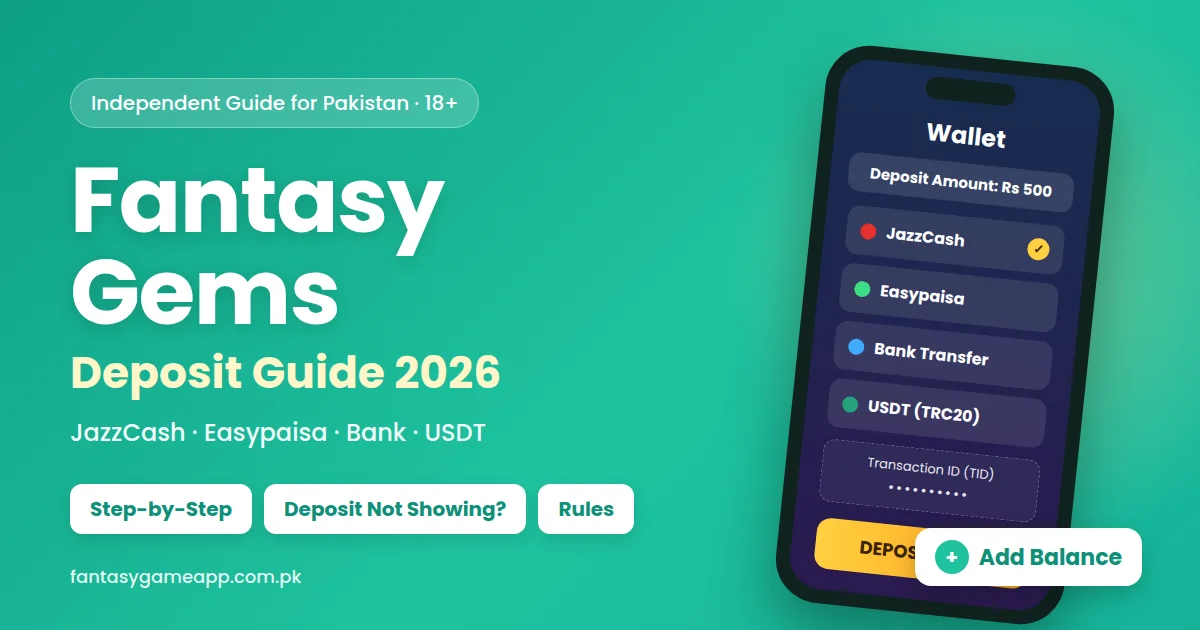
If your Fantasy Gems deposit is not showing, do not pay again. First confirm in your wallet app that the money really left and note the transaction ID (TID). Then wait up to 60 minutes at busy times, log out and back in, and check the deposit history inside the app. If the balance still has not updated after one hour, contact in-app customer service with your TID, amount, time and payment screenshot. A deposit can only be traced with the TID, so keep it safe.
What “Deposit Not Showing” Actually Means
A Fantasy Gems deposit passes through three places. A problem in any one of them looks the same on your screen, but the fix is different.
| Stage | What happens | Where you check it |
|---|---|---|
| 1. Your wallet | JazzCash or Easypaisa sends the money | Wallet app history and SMS |
| 2. The payment page | The payment is matched to your deposit order | The order or record shown in the app |
| 3. Your game balance | Fantasy Gems credits the amount to your wallet | Wallet section inside the app |
If stage 1 failed, no money is lost and you can simply try again later. If stage 1 succeeded but stage 3 has not updated, the platform or the payment provider still has to complete the match. That is the case this guide is about.
Step 1: Confirm the Money Really Left Your Wallet
Open your JazzCash or Easypaisa app and check the full transaction history, not only the SMS. An SMS can arrive late, and a reduced balance alone does not prove which payment was made.
Write down these five details before you do anything else:
- The exact amount you sent
- The date and exact time of the payment
- The transaction ID (TID) from the wallet record
- The number or account the money was sent to
- The status shown in the wallet: successful, pending or failed
If the wallet shows the payment as failed or reversed, the money should return to your wallet account. In that case there is nothing for Fantasy Gems support to trace, and you should wait for the reversal instead of opening a complaint in the app.
Step 2: Wait the Right Amount of Time
When you see a Fantasy Gems deposit not showing message, checking your balance every minute does not make a deposit arrive faster, and paying again makes the problem worse. Use this timing guide instead.
| Time since payment | What it usually means | What to do |
|---|---|---|
| Under 15 minutes | Normal processing | Wait and refresh the wallet screen |
| 15 to 60 minutes | Busy period or slow wallet confirmation | Log out, log in again and check deposit history |
| 1 to 4 hours | The payment may not have matched your order | Contact in-app support with the TID |
| More than 24 hours | The deposit needs a formal trace | Contact support again and also call your wallet helpline |
Deposits are often slower in the evening, on cricket match nights, at month end and during public holidays. Easypaisa and JazzCash outages can also delay the confirmation that the app is waiting for.
Step 3: Check the Deposit History Inside the App
Log in again through the normal Fantasy Gems login and open your wallet or deposit records. Look for the deposit order you created before paying.
- Order shows pending: the app has your order and is waiting for payment confirmation. Wait, then contact support if it stays pending for hours.
- Order shows successful but balance is old: take a screenshot of both screens. This is a display or crediting problem that support can check.
- No order exists at all: you may have paid an old or expired order, or paid a number shared outside the app. This case is explained below and needs support with full proof.
Fantasy Gems Deposit Not Showing? 6 Real Causes
1. The deposit order expired before you paid
The payment page inside the app is linked to one order and usually has a time limit. If you opened the page, left it, and paid much later, the money can reach the receiver without matching your account automatically. Never pay an old screenshot or an old number again.
2. You paid a number from a group or an “agent”
Money sent to a personal JazzCash or Easypaisa number shared in a WhatsApp group cannot be matched by the app at all. Only a payment made through the deposit screen inside your own account creates a traceable order.
3. The wallet name does not match
Paying from a wallet that belongs to another person can slow down matching and can create problems later at withdrawal time. Use a wallet in your own name, with the same number you registered with where possible.
4. The wallet itself is delayed
Sometimes the problem is not Fantasy Gems. If your wallet app shows the transaction as processing, or many users are reporting wallet problems the same day, the confirmation has simply not reached the platform yet.
5. A bonus was added but the cash balance looks wrong
A first deposit offer can split your money into deposit balance and bonus balance. Check the full wallet detail before assuming the deposit is missing. Bonus balance normally has a turnover rule, which our Fantasy Gems withdrawal guide explains.
6. You are logged in to a different account
Players who changed phones or numbers sometimes log in with a second account. Check that the mobile number on the profile screen is the same number you used when you created the deposit order.
Fantasy Gems Deposit Not Showing: Message Support the Right Way
A message like “my deposit is missing, please fix” gives support nothing to search for. Send one complete message in the in-app chat and keep the whole case in that one conversation. Our Fantasy Gems customer care guide shows where the support chat is found.
Copy this template and replace the details with your own:
Hello, my deposit has not been added to my balance.
Registered number: 03XX-XXXXXXX
Amount: Rs ____
Payment method: JazzCash / Easypaisa
Transaction ID (TID): ____________
Date and time of payment: ____________
Deposit order status in the app: Pending / Not showing
I have attached the payment screenshot. Please trace this deposit.
Attach the wallet screenshot that shows the TID, amount and time together. A screenshot of only your balance is not proof of payment.
What Not to Do When a Deposit Is Missing
When a Fantasy Gems deposit not showing problem tempts you to try a shortcut, avoid these mistakes:
- Do not deposit again to “push” the first payment. A second payment creates a second problem, not a solution.
- Do not pay a fee to anyone who offers to recover your deposit. No genuine agent charges a recovery, release or verification fee.
- Do not share your password, OTP or wallet PIN with a support number found on Facebook, TikTok or in a group.
- Do not delete the app or clear all app data before you save your screenshots and TID. You may lose the local order details support needs.
- Do not open five separate chats. One thread with one complete message is traced faster than five incomplete ones.
JazzCash and Easypaisa: Two Extra Checks
For JazzCash, when a Fantasy Gems deposit not showing case involves this wallet, confirm the transaction in the JazzCash app history and keep the SMS that carries the TID. JazzCash users can also confirm a transaction status through the official JazzCash helpline or app support if the record is unclear.
For Easypaisa, check whether the payment shows as completed in the Easypaisa app and whether an Easypaisa service message about maintenance or delay arrived the same day. Easypaisa publishes its official contact options on easypaisa.com.pk. Use only the official app and website for either wallet, never a number sent to you in a chat.
If the Deposit Still Does Not Arrive After 24 Hours
If a Fantasy Gems deposit not showing case is still unresolved after 24 hours, send one follow-up message in the same support thread and ask for the status of your TID. Save screenshots of the chat, because conversations can disappear when the app updates.
Then contact your own wallet provider and ask them to confirm where the money was delivered. A wallet provider can confirm the final status of its own transaction, even though it cannot add balance to a game account.
If you were directed to pay a personal number by someone claiming to be an agent, treat it as a possible fraud case. Keep every chat and receipt. Online betting is not permitted in Pakistan and Fantasy Gems has no verified licence, so recovering money in that situation can be very difficult. This is why deposits should only ever be made through the screen inside your own account, and only with money you can afford to lose. If you are still deciding whether the platform is trustworthy, read is Fantasy Gems real or fake before depositing again.
How to Avoid a Fantasy Gems Deposit Not Showing Problem Next Time
- Create a fresh deposit order and complete the payment within the time shown on the screen.
- Pay only from a JazzCash or Easypaisa account in your own name.
- Screenshot the payment confirmation before you close the wallet app.
- Check that the amount on the order and the amount you send are exactly the same.
- Start with a small deposit on a new account and confirm it arrives before depositing more.
- Never deposit during a wallet outage message; wait until the wallet is working normally.
Fantasy Gems Deposit Not Showing: FAQs
How long does a Fantasy Gems deposit normally take?
Most deposits appear within a few minutes. At busy times a Fantasy Gems deposit not showing delay can take up to an hour. If money has left your wallet and the balance has not updated after one hour, contact in-app support with the TID.
My money was deducted but there is no deposit record in the app. Why?
This usually means the payment was not matched to a deposit order, for example because the order had expired or the money was sent to a number outside the app. Send support the TID, amount, time, receiver number and screenshot so the payment can be traced manually.
Should I deposit again if the first deposit is not showing?
No. A second deposit does not release the first one. Wait for the trace result and keep your proof. Paying again only increases the amount at risk.
Can Fantasy Gems support find a deposit without a TID?
Usually not. The transaction ID is the reference that connects your wallet payment to the receiver. Without it, support and the wallet provider have very little they can search for.
The app shows my deposit as successful but my balance is the same. What should I do?
Log out and log in again, then check the detailed wallet balance, including any bonus balance. If the total is still wrong, screenshot both the successful deposit record and the wallet screen and send both to support in one message.
Can an agent add my missing deposit manually?
No genuine agent can add balance from outside the platform. Anyone who asks for a fee, your OTP or your wallet PIN to “add” a deposit is trying to scam you. Use only the in-app customer service chat.
Summary
A case of Fantasy Gems deposit not showing is usually a matching delay, not lost money. Confirm the payment in your wallet, save the TID, wait up to one hour, check the deposit record in the app, and then send one complete message to in-app support using the template above. Never pay again, never pay a recovery fee, and never deposit through an agent’s personal number.
18+ only. Fantasy Gems involves real-money, chance-based games with no verified licence in Pakistan. Deposit only money you can afford to lose and play responsibly.